

📖 Read more: Noise App: Hearing Protection with Apple Watch
The Big Truth: There Is No Glucose Sensor
Let's clear something up right away: the Apple Watch does not have a built-in glucose sensor. This is true as of February 2026, despite rumors that have been circulating since 2018 about non-invasive glucose monitoring. Apple has been working on this technology for years — according to Bloomberg reports, the “Exploratory Design Group” (XDG) team is developing an optical sensor using photonics technology — but it's still not ready for commercial release.
This means that any app or smartwatch claiming to measure blood glucose without an external sensor is simply not telling the truth. The FDA has not approved any wearable device for non-invasive glucose measurement to date.
Important Disclaimer
The Apple Watch is not a medical device for glucose measurement. It should never replace approved medical measurement tools. Always consult your doctor for diabetes management decisions.
What It Can Actually Do Today
Even though it can't directly measure glucose, the Apple Watch offers a robust ecosystem of tools for people with diabetes. Let's look at what it actually brings to the table.
Integration with CGM Devices (Continuous Glucose Monitors)
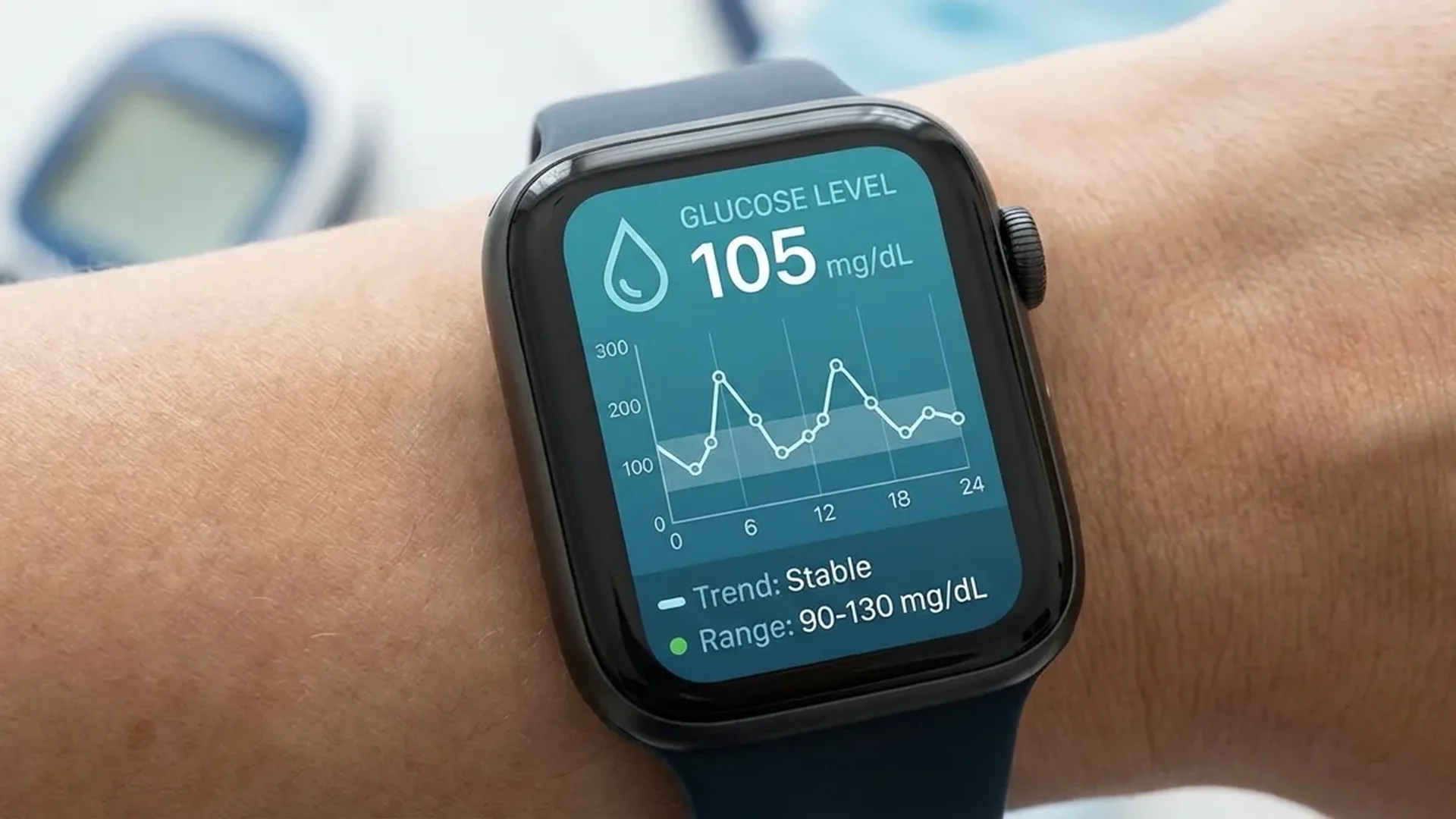
The most important capability is integration with third-party CGM apps. If you use a continuous glucose monitor like the Dexcom G7 (sensor price < 75€/month) or the Abbott FreeStyle Libre 3 (price < 60€/month), you can view real-time glucose readings directly on your wrist.
These CGM apps offer on Apple Watch:
- Real-time glucose readings displayed on the watch screen at any moment
- Complications on your watch face — see your glucose level without opening any app
- Trend arrows — whether glucose is rising, falling, or staying stable
- History graphs covering the last 1, 3, or 6 hours
High and Low Glucose Alerts
Perhaps the most critical feature for diabetics: alerts when glucose crosses the thresholds you've set. If your glucose drops below 70 mg/dL or rises above 180 mg/dL, the Apple Watch vibrates and displays a notification on your wrist. This can be life-saving, especially at night during sleep, when hypoglycemia can go unnoticed.
Alerts work even when the watch screen is off, and the wrist vibration is impossible to ignore — unlike a phone that might be in another room or on silent mode.
Activity Tracking and Exercise Monitoring
Physical exercise is a fundamental pillar of diabetes management. Regular movement lowers blood sugar levels, improves insulin sensitivity, and reduces the risk of cardiovascular complications. The Apple Watch accurately tracks:
- Steps, calories burned, and kilometers walked each day
- Heart rate zones during workouts
- Workouts (walking, running, cycling, swimming, yoga)
- VO2 Max — an important indicator of cardiorespiratory fitness
By observing how specific exercises affect your glucose (via CGM), you can discover what works best for your body. For example, a brisk 30-minute walk after dinner can lower post-meal glucose by 30–50 mg/dL.
📖 Read more: watchOS 26: Complete Features Guide
Medication Reminders
With the Medications app built into watchOS, the Apple Watch can send reminders for insulin injections or oral diabetes medications. Consistency with medication is critical in diabetes management, and a wrist vibration is far more effective than a silent phone notification that can easily be missed.
You can set up multiple reminders throughout the day, log when you've taken each dose, and track your adherence inside the Health app. This is particularly useful for both Type 1 diabetes (multiple daily insulin injections) and Type 2 diabetes (oral medications at specific times).
The Health App as a Central Data Hub
The iPhone's Health app serves as a central repository for all your health data. Glucose data from connected CGM devices is stored automatically, creating a complete history. You can view averages, trends, and Time in Range charts, and share this data directly with your endocrinologist via PDF reports.
With watchOS 26, Apple significantly enhanced diabetes-related features. New health widgets in the Smart Stack display headline glucose statistics at a glance, while improved third-party integration through the HealthKit API allows seamless data flow. Additionally, new Vitals dashboards enable you to correlate glucose data with sleep, heart rate, and activity patterns.
Safety: Fall Detection & Emergency SOS
Two features that are particularly important for diabetics:
- Fall Detection: If you lose consciousness due to severe hypoglycemia and fall, the Apple Watch can detect the fall and automatically call emergency services if you don't respond within 60 seconds.
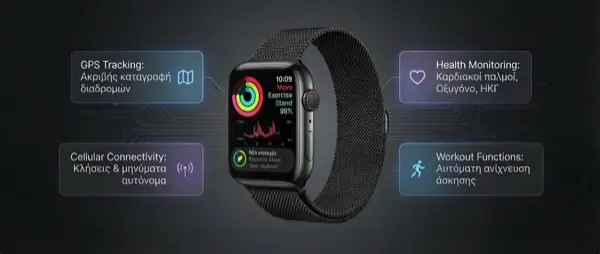
- Emergency SOS: By pressing and holding the side button, you can immediately call for help. On Cellular models (price < 100€ extra), this works even without your iPhone nearby.
These features can literally save lives, especially for elderly diabetics living alone. Severe hypoglycemia can cause loss of consciousness, and automatic emergency calling without human intervention is a tremendous advantage.
📖 Read more: Apple Watch vs Oura Ring 4: Watch or Ring?
Best CGM Apps for Apple Watch
These are the most popular apps that transform the Apple Watch into a powerful glucose monitoring tool:
- Dexcom G7: The most complete experience — real-time readings, complications, alerts, and trend graphs. It's widely considered the gold standard.
- LibreLink (Abbott): Connects with FreeStyle Libre 3 sensors, displaying readings on your watch with minimal delay.
- One Drop: Comprehensive tracking of glucose, medications, nutrition, and exercise in one app with AI-powered predictions.
- Glucose Buddy: A glucose diary with detailed logging of meals, insulin doses, and personal notes.
- MySugr: Gamified diabetes management with automatic reports ready to share with your doctor.
- Sugarmate: Specialized watch face complication, Dark Mode-friendly graphs, and predictive alerts.
The Future: Non-Invasive Glucose Monitoring
Apple hasn't given up on the dream. According to multiple reports, the company is investing heavily in non-invasive optical glucose sensing — a technology that would use light beams (photonics) to measure glucose beneath the skin, without needles or piercing sensors. The XDG team is reportedly working on a fingernail-sized chip that emits near-infrared light to detect glucose concentrations in interstitial fluid.
The challenge is enormous: glucose exists in very low concentrations in the interstitial fluid beneath the skin, and accuracy must be at medical-grade levels to receive FDA approval. Analysts estimate it will take at least 2–3 more years before we see this feature in an Apple Watch, likely in the Apple Watch Series 14 or 15.
If Apple succeeds, it will be the biggest revolution in wearable technology — and will fundamentally change the lives of millions of people with diabetes worldwide, eliminating the need for daily external measurements and finger pricks.
Frequently Asked Questions (FAQ)
Can the Apple Watch measure blood glucose?
No. As of February 2026, no Apple Watch model has a built-in glucose sensor. It can only display data from external CGM devices through third-party apps.
Which CGM device works best with Apple Watch?
The Dexcom G7 offers the most complete experience on Apple Watch, with real-time complications, alerts, and detailed graphs. The FreeStyle Libre 3 is also an excellent choice at a lower cost (sensor price < 60€/month).
Is it safe to rely solely on Apple Watch for diabetes management?
No. The Apple Watch is a supplementary tool, not a medical device. You should always check your glucose with approved medical devices and follow your endocrinologist's guidance.
When will Apple Watch get a built-in glucose sensor?
There is no official date. Analysts estimate we may see non-invasive glucose monitoring on Apple Watch in 2–3 years, likely in the Apple Watch Series 14 or 15. Apple has not officially confirmed anything.
How much does an Apple Watch suitable for diabetes management cost?
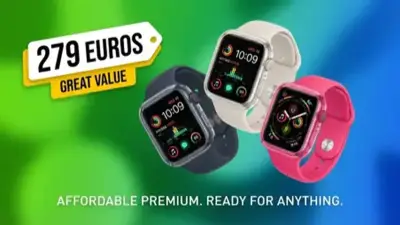
Any Apple Watch running watchOS 26 supports CGM apps. The Apple Watch SE 2 starts at < 280€, while the Apple Watch Series 11 starts at < 450€. Adding Cellular (for Emergency SOS without iPhone) costs < 100€ extra.