

Your Apple Watch is more than a notification hub or fitness tracker. With the Mindfulness app, Apple has turned your wrist into a personal wellness coach. From guided breathing exercises to reflective prompts that encourage gratitude, the Mindfulness app helps millions of users worldwide reduce stress and find calm amid the chaos of daily life. Here's everything you need to know about how it works and how to get the most out of it.
📖 Read more: Double Tap: Complete Gesture Guide
What Is the Mindfulness App
The Mindfulness app debuted in watchOS 8 as an evolution of the older Breathe app that had been part of Apple Watch since watchOS 3. Apple did not simply rename the app — it added an entirely new mindfulness framework that includes two core exercises: Breathe and Reflect. Each targets a different aspect of mental wellbeing, and together they form a comprehensive stress management tool right on your wrist.
The app comes pre-installed on every Apple Watch running watchOS 8 or later. There's nothing to download — just open the app with its purple icon and get started. All sessions are automatically logged to the Health app on your iPhone, building a complete history of your mindfulness practice over time.
Breathe: Guided Breathing Exercises
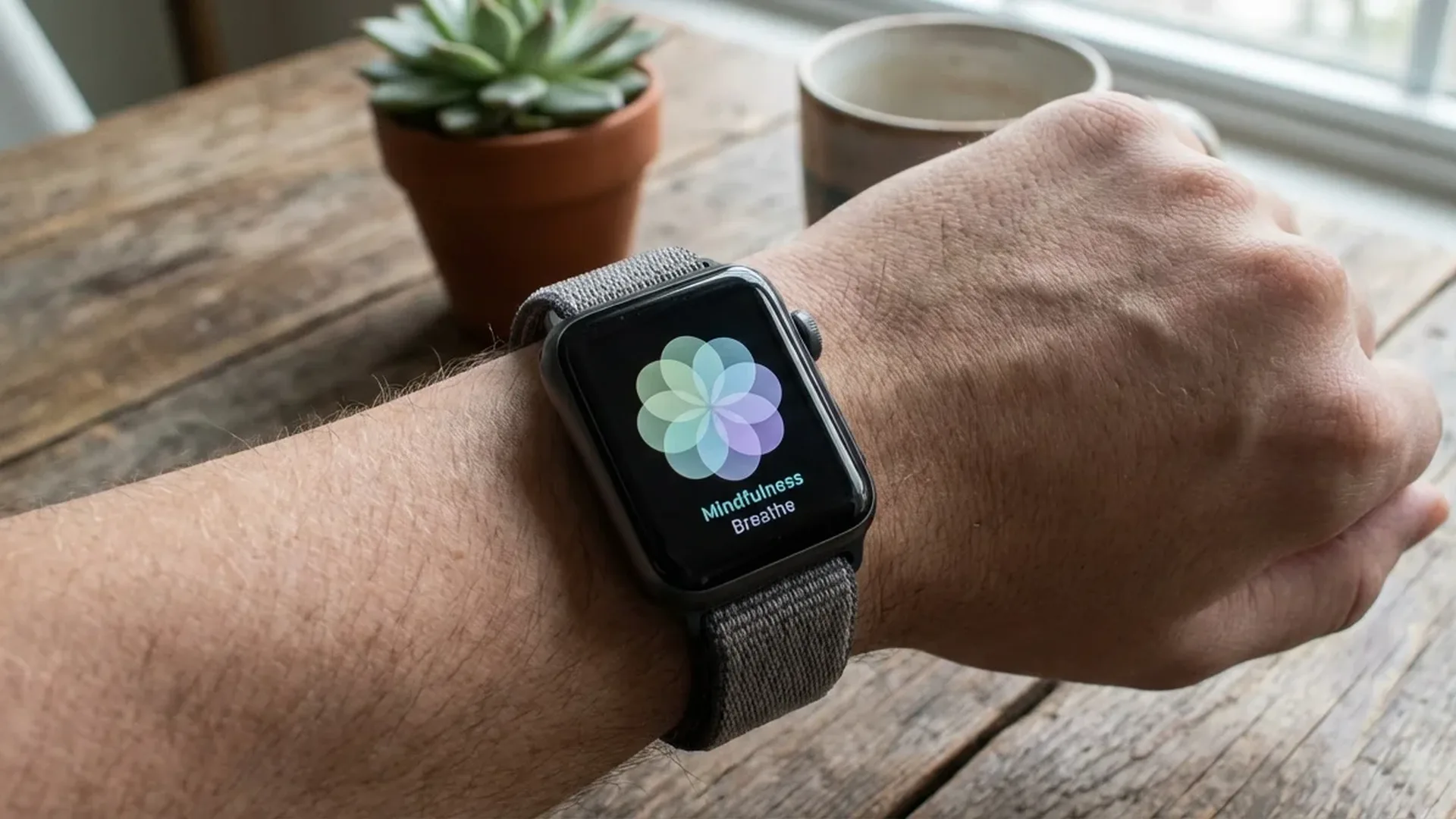
The Breathe exercise is the heart of the Mindfulness app. When you begin a session, an animated flower-shaped visualization appears on screen. The petals gradually expand as you inhale and contract as you exhale, creating a mesmerizing visual guide that helps you synchronize your breathing effortlessly.
Alongside the animation, the Apple Watch delivers gentle haptic taps that tell you exactly when to breathe in and when to breathe out. This means you can do the entire exercise with your eyes closed — ideal for genuine relaxation. Session duration is adjustable from 1 to 5 minutes, and you can also customize the number of breaths per minute (4 to 10) depending on your comfort level and experience.
How to Configure Breathe
- Duration: Open Mindfulness, swipe left to Breathe, tap the three dots, and choose 1, 2, 3, 4, or 5 minutes
- Pace: On your iPhone, go to Watch App > Mindfulness > Breaths per Minute to adjust the breathing rate
- Reminders: Enable notifications so the watch reminds you to breathe throughout the day
Beginner Tip
If you are new to breathing exercises, start with 1 minute at 7 breaths per minute. Gradually increase the duration to 3-5 minutes and lower the rate to 4-5 breaths per minute for deeper relaxation. Slow, deep breathing activates the parasympathetic nervous system and measurably reduces cortisol levels.
📖 Read more: Medications: Medicine Reminder Guide
Reflect: Moments of Introspection
The second exercise in Mindfulness, Reflect, was introduced with watchOS 8 and offers something entirely different. Instead of breathing guidance, it presents short, thought-provoking prompts that invite you to think about something positive or contemplate a meaningful experience. The prompts change every time — you might be asked to “Think of a time you felt grateful” or “Recall something that made you happy today.”
Each Reflect session usually lasts 1 minute, though you can extend it. During the session, the screen displays a calm, slowly morphing abstract animation with shifting colours. The idea is to pause, focus on the suggested thought, and allow your mind to settle.
The science behind Reflect is rooted in gratitude practice, which has been shown to improve mood, reduce symptoms of depression, and boost overall psychological wellbeing. The Apple Watch makes this practice accessible — all you need is 60 seconds.
Heart Rate Monitoring During Sessions
One of the most valuable aspects of Mindfulness is its built-in heart rate tracking. During every session, the optical heart sensor on the back of the Apple Watch measures your pulse in real time. At the end of the session, you see a summary showing your average heart rate during the exercise.
Over time, this data builds a history in the Health app. You can observe trends — how your resting heart rate gradually decreases as your practice improves. This provides measurable proof that breathing and mindfulness truly work.
Mindfulness minutes also count toward your Activity Rings. Each session is logged as Exercise Minutes and can give you Stand ring credit, helping you close your rings more easily throughout the day.
📖 Read more: Water Lock: How to Unlock After Water
"Breathing is the bridge which connects life to consciousness, which unites your body to your thoughts."
— Thich Nhat Hanh, Buddhist teacherScientific Benefits of Deep Breathing
Deep, controlled breathing is not just a relaxation technique — there's substantial scientific evidence behind it. When you breathe slowly and deeply, you activate the parasympathetic nervous system, commonly known as the “rest and digest” system. This lowers cortisol (the stress hormone) and increases endorphin production.
Research shows that regular deep breathing practice can reduce blood pressure by 5-10 mmHg, improve sleep quality, sharpen focus, and alleviate anxiety symptoms. Some studies even suggest positive effects on the immune system, as chronic stress weakens the body's natural defences.
The 4-7-8 technique (inhale 4 seconds, hold 7, exhale 8) is considered particularly effective for stress reduction. While the Mindfulness app does not follow this exact pattern, the underlying mechanism is similar — slow, rhythmic breathing helps pull you out of fight-or-flight mode and into a state of calm.
Mindfulness and Sleep
Try a 3-5 minute breathing session right before bed. The combination of deep breathing with the Apple Watch's haptic taps creates a routine that signals to your body it's time to sleep. Many users report falling asleep faster and experiencing deeper, more restorative rest.
📖 Read more: Noise App: Hearing Protection with Apple Watch
Third-Party Apps: Calm and Headspace
Beyond the built-in Mindfulness app, Apple Watch supports a number of third-party meditation and wellness applications. The two most popular are Calm and Headspace, both with standalone Apple Watch apps.
Calm offers guided meditations, Sleep Stories, and relaxation music. On Apple Watch, you can quickly start a Daily Calm session, check your streak, and receive reminders. The annual subscription costs approximately €70.
Headspace takes a more structured approach with meditation courses divided into levels. The Apple Watch app features a daily meditation, short SOS exercises for crisis moments, and breathing exercises. The annual subscription costs approximately €60.
Both apps log data to Apple Health and work seamlessly with Activity Rings. If you want more variety in your practice or prefer audio-guided meditations, either of these makes an excellent companion to the built-in Mindfulness app.
Tips for Building a Daily Practice
The secret is not the perfect session — it's consistency. Even 1 minute of breathing every day is enough to see gradual results. Here are some strategies that help build a lasting habit:
- Anchor it: Link your session to an existing routine — morning coffee, lunch break, or bedtime
- Reminders: Enable Mindfulness notifications on Apple Watch. You can set how many times per day it will prompt you
- Complication: Add the Mindfulness complication to your watch face for one-tap access
- Streak: Track your consecutive days. Seeing the streak grow provides powerful motivation
- Be kind: If you miss a day, do not quit. Start again without guilt
📖 Read more: Family Setup: Apple Watch for Kids Without iPhone
Mental Health Features in watchOS
With watchOS 10, Apple added new mental health tools. The State of Mind feature lets you log how you're feeling at various points during the day using a visual scale from “Very Unpleasant” to “Very Pleasant.” Over time, this data creates a mental health map that helps you recognise patterns and triggers.
The integration of Mindfulness with other health data paints a holistic picture. You can see how breathing sessions affect your heart rate, how mindfulness correlates with sleep quality, and how your overall mental state evolves over time.
Setting Up Notifications
On your iPhone, go to Watch App > Mindfulness > Notifications. You can set reminders at the start of every hour or at specific times. Try 3 reminders per day — morning, midday, and evening — for optimal results.
Frequently Asked Questions
Do I need a specific Apple Watch model?
The Mindfulness app works on all Apple Watch models running watchOS 8 or later, which includes Series 4 and newer. Older models like Series 3 have the basic Breathe app but not the full Mindfulness experience.
Can I use Mindfulness without an iPhone?
Yes, the app works entirely independently on the Apple Watch. You don't need an iPhone connection or internet access. Data syncs to the Health app when the watch reconnects with your phone.
How effective is a 1-minute session?
Even 60 seconds of focused breathing can lower your heart rate and cortisol levels. Longer sessions of 3-5 minutes deliver deeper benefits, but one minute is far better than nothing at all.
Do Mindfulness minutes count toward Activity Rings?
Yes. Every Mindfulness session is recorded as Exercise Minutes and can give you Stand ring credit. It also contributes to your total mindfulness minutes tracked in the Health app.
Can I change the breathing rate?
Yes, on your iPhone via Watch App > Mindfulness. You can set anywhere from 4 to 10 breaths per minute. Fewer breaths means a slower pace and deeper relaxation.
What if I can't find the Mindfulness app?
Make sure your Apple Watch is running watchOS 8 or later. If the app is missing, you may have accidentally removed it — go to the App Store on your Apple Watch and search for “Mindfulness” to reinstall it.