


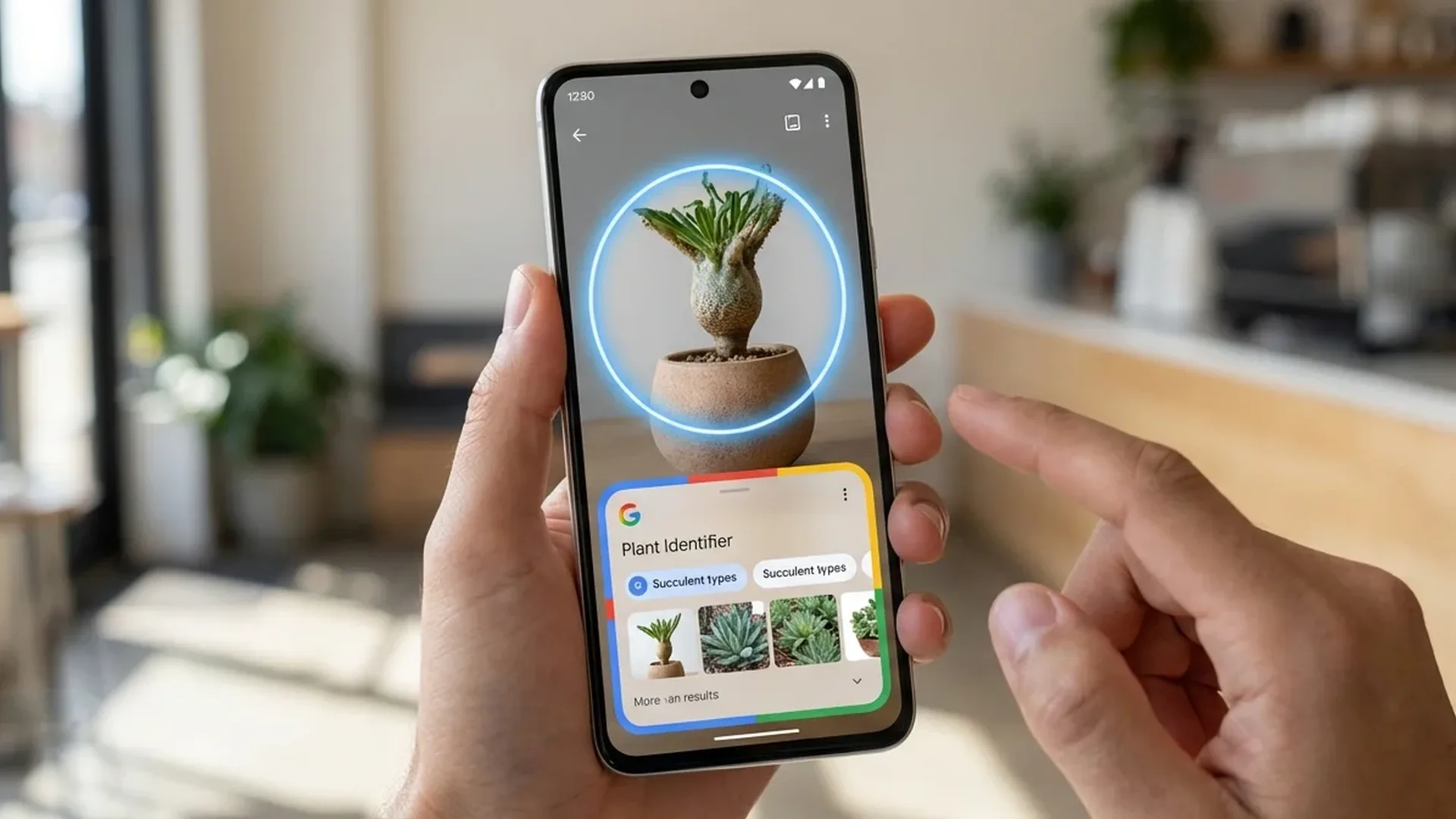
Circle to Search is one of Android's most innovative features in recent years. Circle anything on your screen — a photo, a logo, a building, clothing, even text — and Google's AI will identify what you're looking at and give you relevant results. No screenshots, no app switching. Here's the complete guide.
📖 Read more: Gemini vs ChatGPT on Android: Which AI Wins?
🔍 What Is Circle to Search?
Originally launched in January 2024 on Galaxy S24 and Pixel 8. By March 2026, it's available on nearly ALL Android smartphones running Android 14+. How it works: long-press the home button (or navigation bar), draw a circle around what you want to search, and Google Lens AI does the rest.
📱 How to Enable Circle to Search
Go to Settings → Display → Navigation bar → Circle to Search (or search “Circle to Search” in Settings). Make sure it's enabled. On Samsung, find it in Settings → Display → Navigation bar.
On Pixel: Settings → System → Navigation mode → Circle to Search toggle.
✏️ How to Use It
Basic Usage
1. Long-press the home button/navigation bar. 2. The screen dims slightly. 3. Draw a circle (or any shape) around what you want. 4. Results appear at the bottom. 5. Tap a result or dismiss to continue.
Pro Tip: You Don't Need a Circle!
You can draw anything — a line, square, or even a scribble. Or just tap the object. The AI recognizes what you want regardless of shape. You can even select multiple objects in one gesture.
🛍️ 5 Practical Uses
1. Shopping — Find Where to Buy
See clothing or an accessory on Instagram/TikTok? Circle it. Google identifies the product and shows purchase links with prices. Works great with shoes, clothing, gadgets, and furniture.
📖 Read more: Google Pixel 11 Pro: What We Know So Far
2. Text Translation
Circle text in any language — Google Translate activates automatically. Works on screenshots, photos, even video frames. Perfect when traveling and seeing signs in foreign languages.
3. Plant & Animal Identification
Photographed a flower or animal? Circle it — Google identifies the species, provides care information (for plants), or interesting facts (for animals). Works even in videos.
4. Homework Help
Circle a math equation — Google shows the step-by-step solution. Works with algebra, geometry, calculus, and even chemistry equations. Students, this is a game-changer.
5. Music Recognition in Videos
Watching a video with a song you like? Circle the audio bar (or anywhere on screen during playback) — tap the music note icon in results. Shazam-like recognition built into Circle to Search.
🆕 New Features in 2026
With the latest updates, Circle to Search added:
Multi-result search: Circle multiple objects simultaneously — get results for each one separately.
AI Overview: Instead of just links, Gemini AI gives you a summary — e.g., circle a monument and it tells you what it is, when it was built, hours of operation, reviews.
Video frame analysis: Works during video playback — Circle to Search on a frame WHILE the video plays.
💡 Pro Tip: Combine Circle to Search with Google Lens. If Circle to Search results aren't enough, tap “Open in Google Lens” at the bottom — you'll get more detailed results with shopping links, similar images, and text extraction.
🎯 Conclusion
Circle to Search changes how we interact with our smartphones. Instead of screenshot → open Google Lens → upload, now we circle and find. In seconds. In ALL apps. If you're not using it yet, start today — you'll wonder how you lived without it.